> ## Documentation Index
> Fetch the complete documentation index at: https://togetherai-migration.mintlify.site/llms.txt
> Use this file to discover all available pages before exploring further.
# Uploading a Fine-tuned Model
> Run inference on your fine-tuned model
Use the model API to upload your model and run inference on a dedicated endpoint
### Requirements
Currently, we support models that meet the following criteria.
**Source**: We support uploads from from Hugging Face or S3.
**Type**: We support text generation models
**Parameters**: Models must have `parameter-count` of 300 billion or less
**Base models**: Uploads currently work with the following base models
* `deepseek-ai/DeepSeek-R1-Distill-Llama-70B`
* `google/gemma-2-27b-it`
* `meta-llama/Llama-3.3-70B-Instruct-Turbo`
* `meta-llama/Meta-Llama-3.1-70B-Instruct-Turbo`
* `meta-llama/Meta-Llama-3.1-405B-Instruct-Turbo`
* `meta-llama/Meta-Llama-3.1-8B-Instruct-Turbo`
* `meta-llama/Llama-3-8b-chat-hf`
* `meta-llama/Llama-2-70b-hf`
* `meta-llama/LlamaGuard-2-8b`
* `mistralai/Mistral-7B-Instruct-v0.3`
* `mistralai/Mixtral-8x7B-Instruct-v0.1`
* `Qwen/Qwen2.5-72B-Instruct-Turbo`
* `Qwen/Qwen2-VL-72B-Instruct`
* `Qwen/Qwen2-72B-Instruct`
* `Salesforce/Llama-Rank-V1`
## Getting Started
### Upload the model
Currently, model uploads can be done via the API or the Together web interface.
#### Web Interface
To upload via the web, just log in and navigate to models > add custom model to reach [this page](https://api.together.xyz/models/upload):
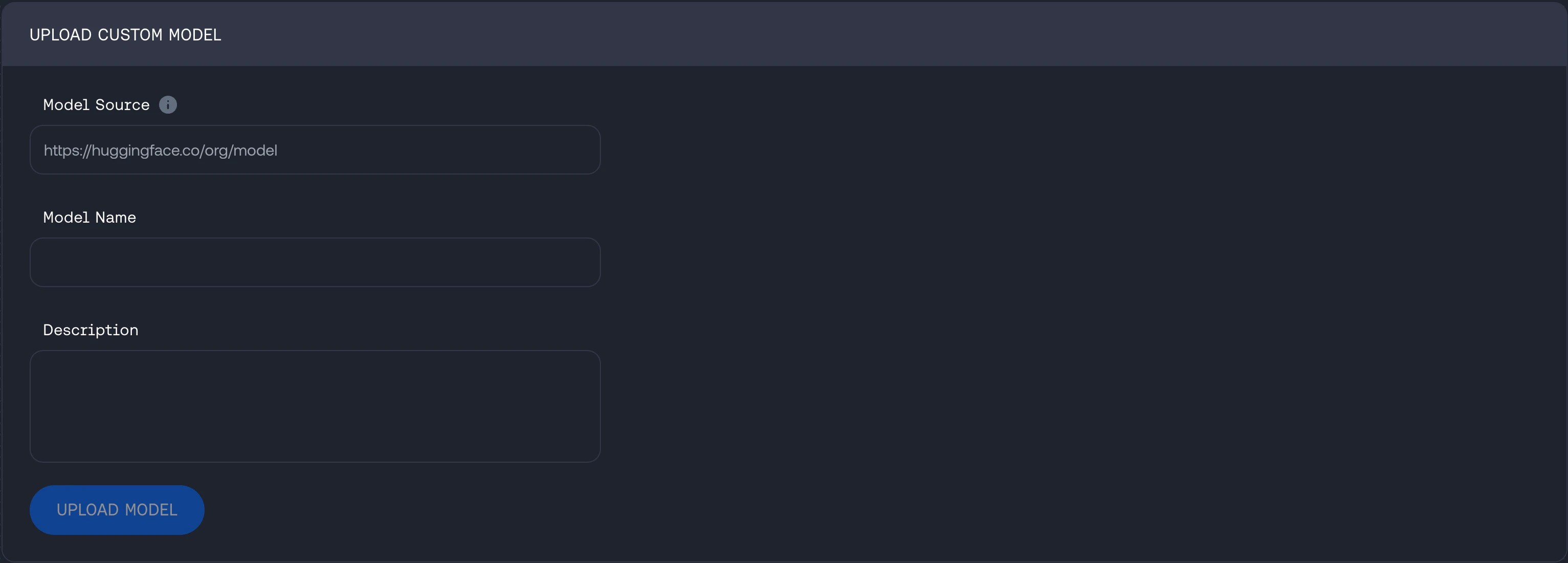 Then fill in the source URL (S3 or Hugging Face), the model name and how you would like it described in your Together account once uploaded.
#### API
**S3**
Then fill in the source URL (S3 or Hugging Face), the model name and how you would like it described in your Together account once uploaded.
#### API
**S3**
To upload a model from S3, list your model name and provide a [presigned URL](https://docs.aws.amazon.com/AmazonS3/latest/userguide/using-presigned-url.html)
```curl Bash theme={null}
curl -X POST "https://api.together.xyz/v1/models" \
-H "Authorization: Bearer $TOGETHER_API_KEY" \
-H "Content-Type: application/json" \
-d '{
"model_name": "Qwen/Qwen2-72B-Instruct",
"model_source": "https://ml-models.s3.us-west-2.amazonaws.com/models/2023/model.tar.gz",
"description": "Finetuned Qwen/Qwen2-72B-Instruct uploaded from my S3 bucket",
}'
```
**Hugging Face**
To upload model from Hugging Face, list your model name and Hugging Face token
```bash Bash theme={null}
curl -X POST "https://api.together.xyz/v1/models" \
-H "Authorization: Bearer $TOGETHER_API_KEY" \
-H "Content-Type: application/json" \
-d '{
"model_name": "Qwen2.5-72B-Instruct",
"model_source": "unsloth/Qwen2.5-72B-Instruct",
"hf_token": "hf_examplehuggingfacetoken",
"description": "Finetuned Qwen2.5-72B-Instruct by Unsloth"
}'
```
Response
```json Bash theme={null}
{
"data": {
"job_id": "job-a15dad11-8d8e-4007-97c5-a211304de284",
"model_name": "necolinehubner/Qwen2.5-72B-Instruct",
"model_id": "model-c0e32dfc-637e-47b2-bf4e-e9b2e58c9da7",
"model_source": "huggingface"
},
"message": "Processing model weights. Job created."
}
```
You can check the status of the job
```bash Bash theme={null}
curl -X GET "https://api.together.xyz/v1/jobs/job-a15dad11-8d8e-4007-97c5-a211304de284" \
-H "Authorization: Bearer $TOGETHER_API_KEY" \
-H "Content-Type: application/json" \
```
Response
```json Bash theme={null}
{
"type": "model_upload",
"job_id": "job-a15dad11-8d8e-4007-97c5-a211304de284",
"status": "Complete",
"status_updates": [
{
"status": "Queued",
"message": "Job has been created",
"timestamp": "2025-03-11T22:05:43Z"
},
{
"status": "Running",
"message": "Received job from queue, starting",
"timestamp": "2025-03-11T22:06:10Z"
},
{
"status": "Running",
"message": "Model download in progress",
"timestamp": "2025-03-11T22:06:10Z"
},
{
"status": "Running",
"message": "Model validation in progress",
"timestamp": "2025-03-11T22:15:23Z"
},
{
"status": "Running",
"message": "Model upload in progress",
"timestamp": "2025-03-11T22:16:41Z"
},
{
"status": "Complete",
"message": "Job is Complete",
"timestamp": "2025-03-11T22:36:12Z"
}
],
"args": {
"description": "Finetuned Qwen2.5-72B-Instruct by Unsloth",
"modelName": "necolinehubner/Qwen2.5-72B-Instruct",
"modelSource": "unsloth/Qwen2.5-72B-Instruct"
},
"created_at": "2025-03-11T22:05:43Z",
"updated_at": "2025-03-11T22:36:12Z"
}
```
### Deploy the model
Uploaded models are treated like any other dedicated endpoint models. Deploying a custom model can be done via the CLI, API or the UI
#### Deploying custom model on the UI
All models, custom and finetuned models as well as any model that has a dedicated endpoint will be listed under [My Models](https://api.together.ai/models). To deploy a custom model
Select the model to open the model page
 The model page will display details from your uploaded model with an option to create a dedicated endpoint
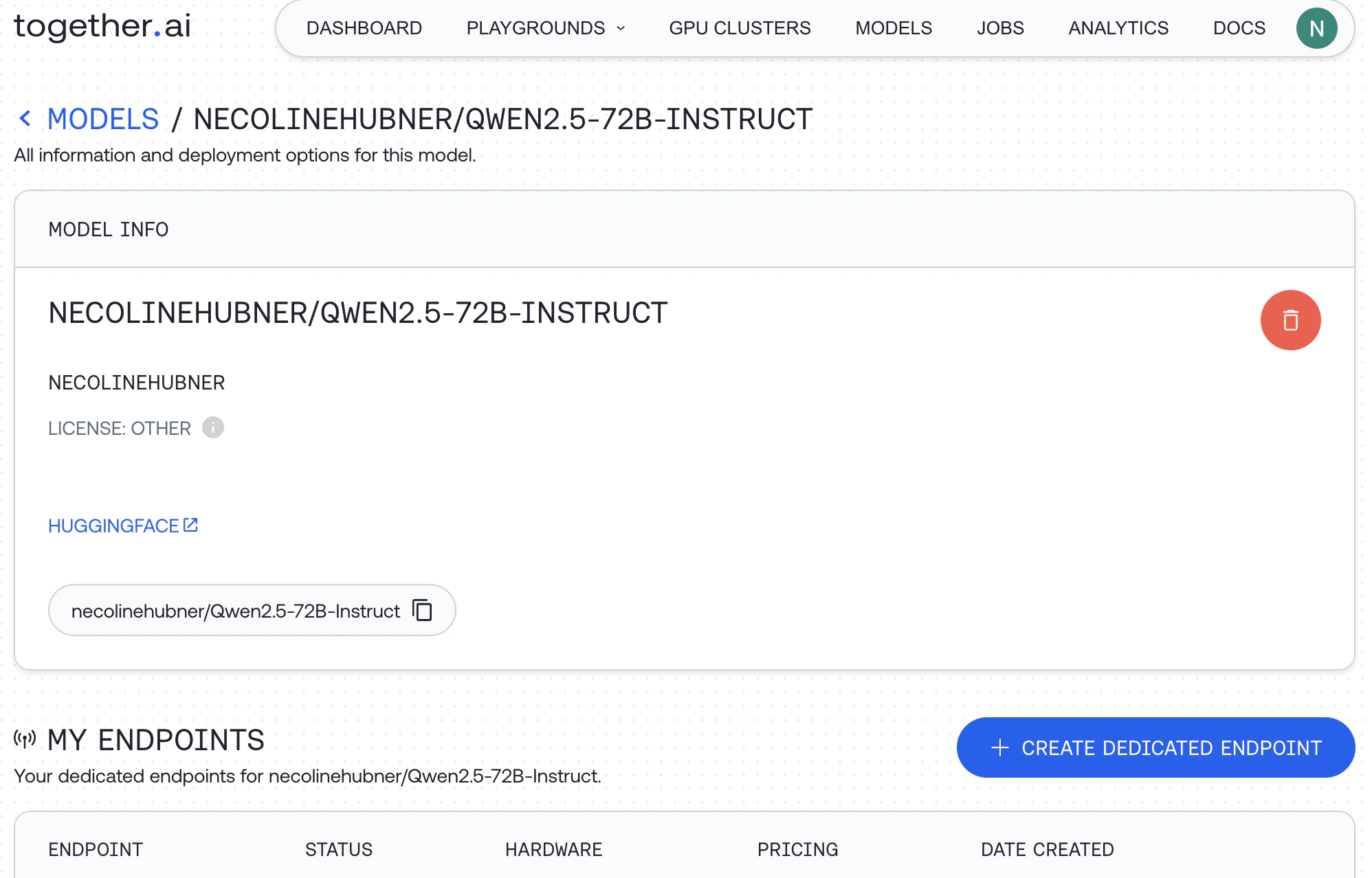 When you select 'Create Dedicated Endpoint' you will see an option to configure the deployment
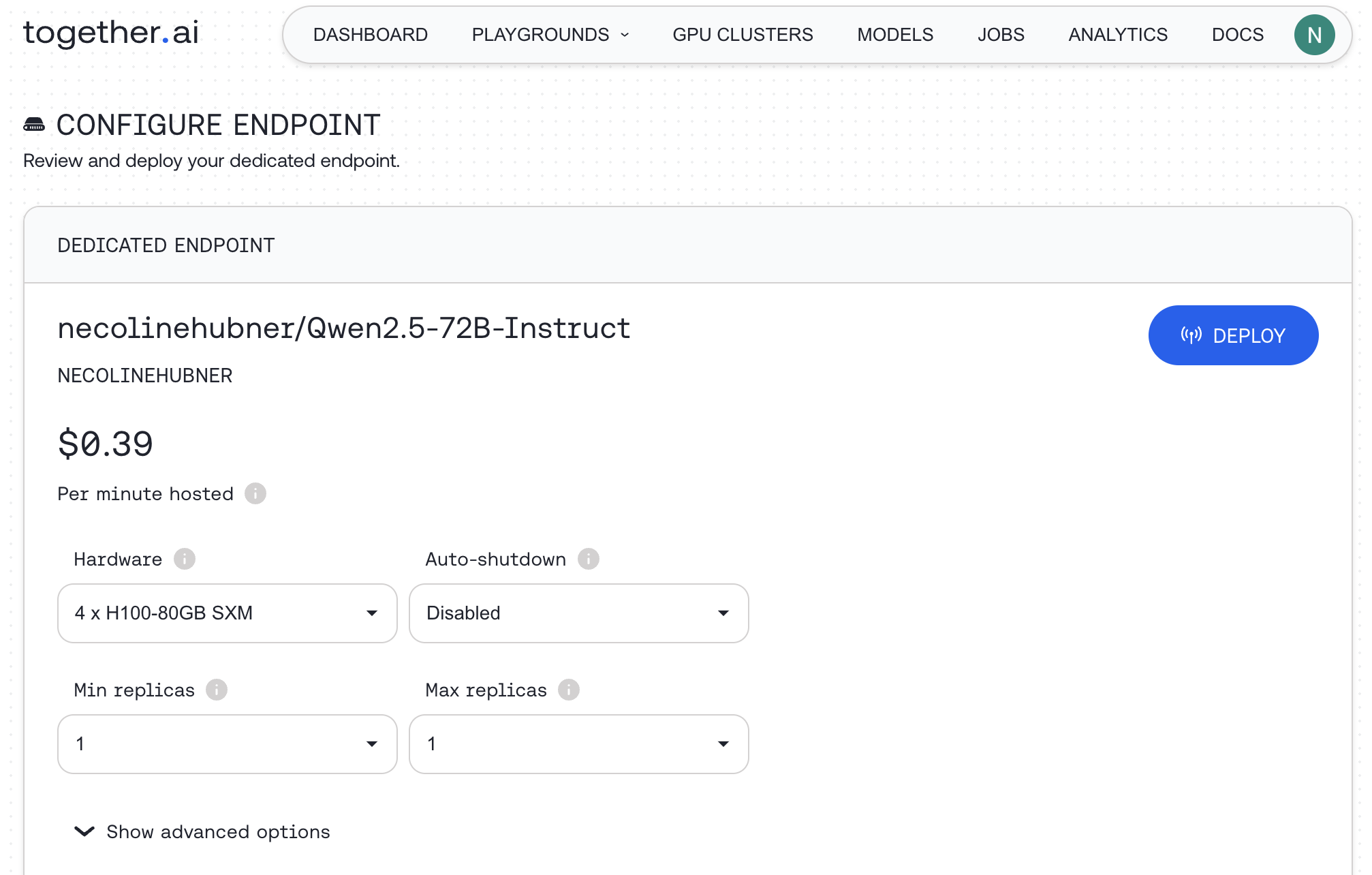 Once an endpoint has been deployed, you can interact with it on the playground or via the API