


- Host it on Together AI as a dedicated endpoint(DE) for an hourly usage fee
- Run it immediately if the model supports Serverless LoRA Inference
- Download your model and run it locally
Hosting your model on Together AI
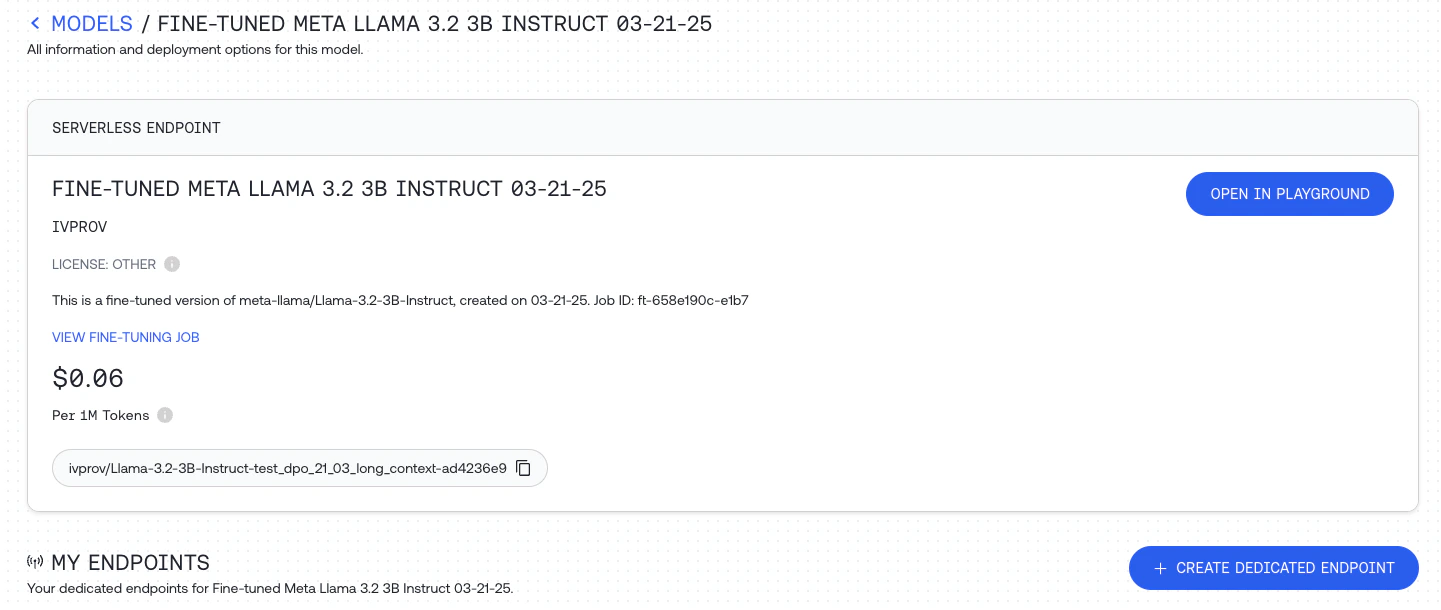
If you select your model in the models dashboard you can clickCREATE DEDICATED ENDPOINT to create a dedicated endpoint for the fine-tuned model.
Serverless LoRA Inference
If you fine-tuned the model using parameter efficient LoRA fine-tuning you can select the model in the models dashbaord and can clickOPEN IN PLAYGROUND to quickly test the fine-tuned model.
You can also call the model directly just like any other model on the Together AI platform, by providing the unique fine-tuned model output_name that you can find for the specific model on the dashboard. See the list of models that support LoRA Inference.
Running Your Model Locally
To run your model locally, first download it by callingdownload with your job ID:
output as a tar.zst file, which is an archive file format that uses the ZStandard algorithm. You’ll need to install ZStandard to decompress your model.
On Macs, you can use Homebrew: